Full-featured Markdown editor
Write, format, and structure content entirely in the browser, without separate software.
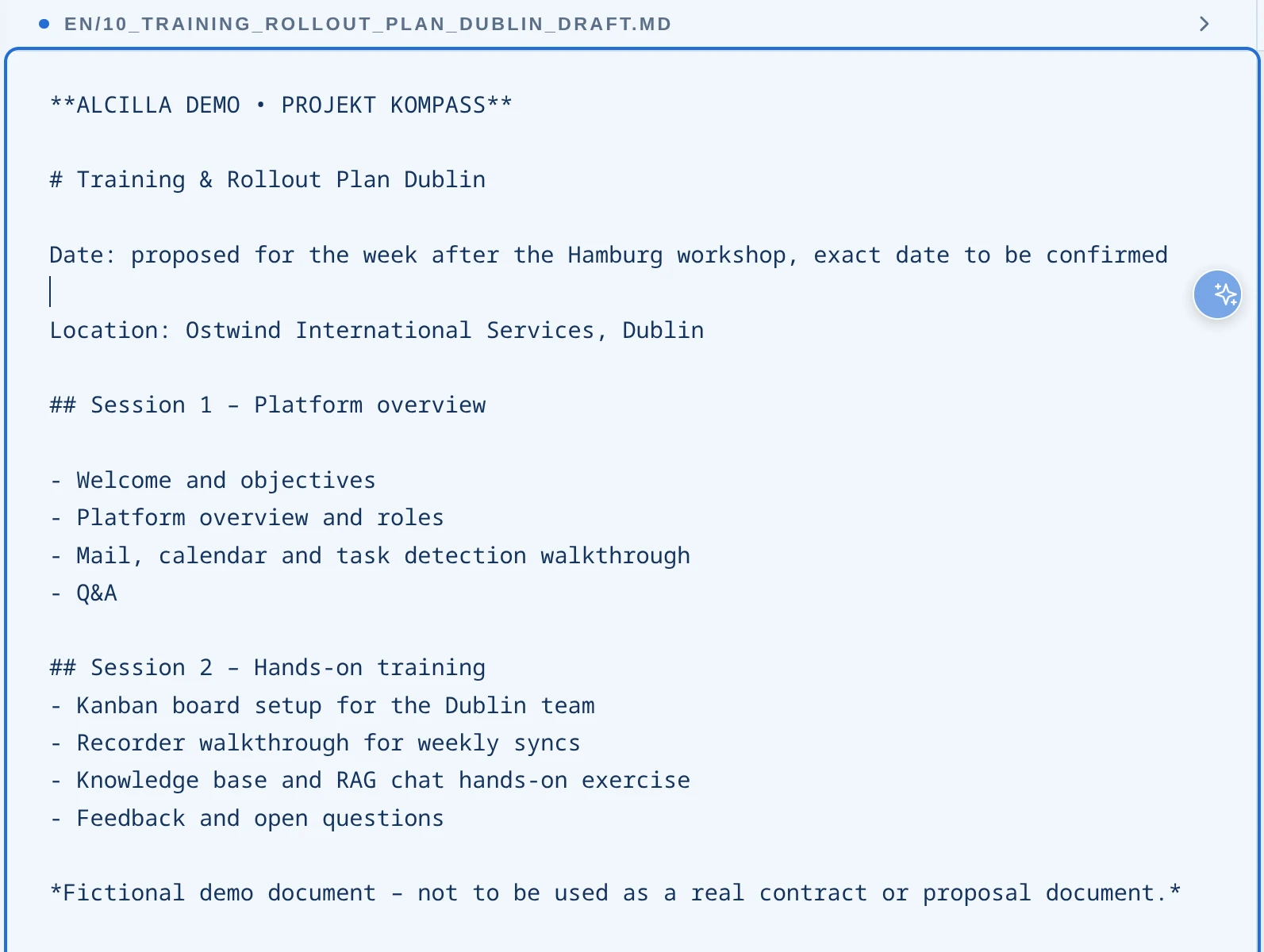

Write in Markdown, use AI functions directly in the editor, and export to your enterprise template as Word or PDF, individually configured for each customer. Source references and citable passages reduce the risk of unsupported answers.
The AI Editor combines a full-featured Markdown editor with AI functions that access approved company sources and display the passages they use. The result: better documents in a fraction of the time.
Write, format, and structure content entirely in the browser, without separate software.
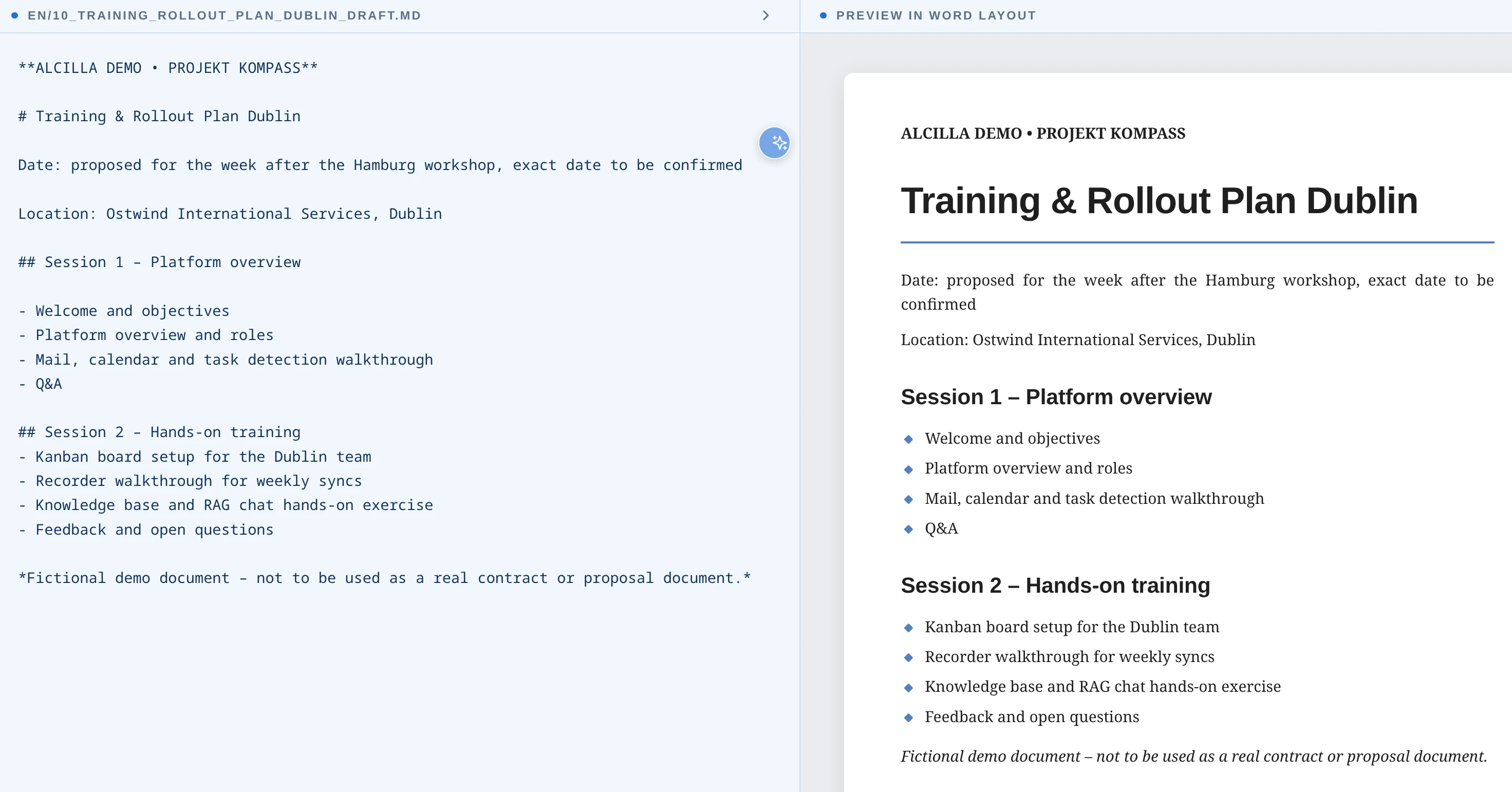
Check changes immediately in the future document layout—alongside the Markdown text and without a previous export.
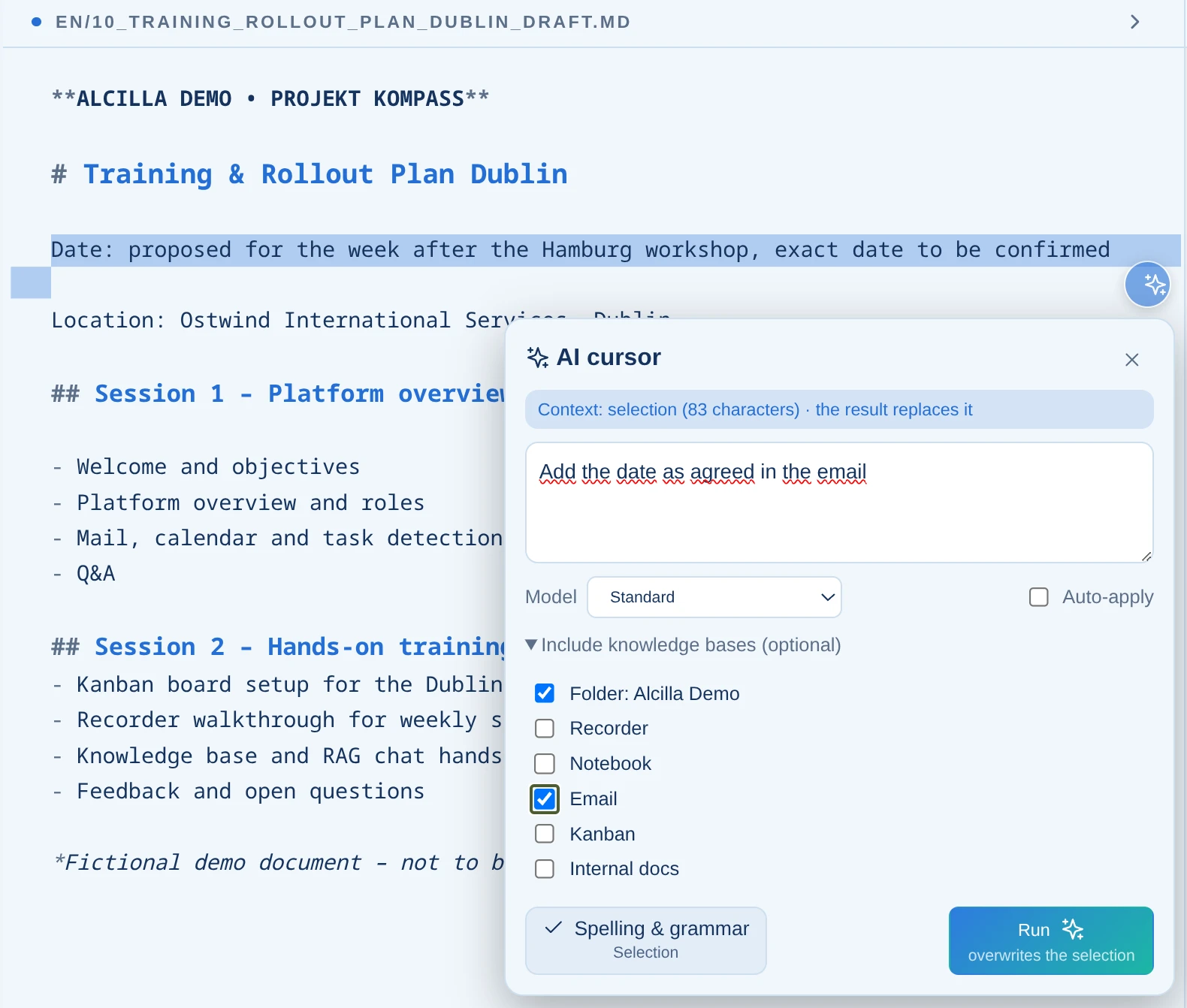
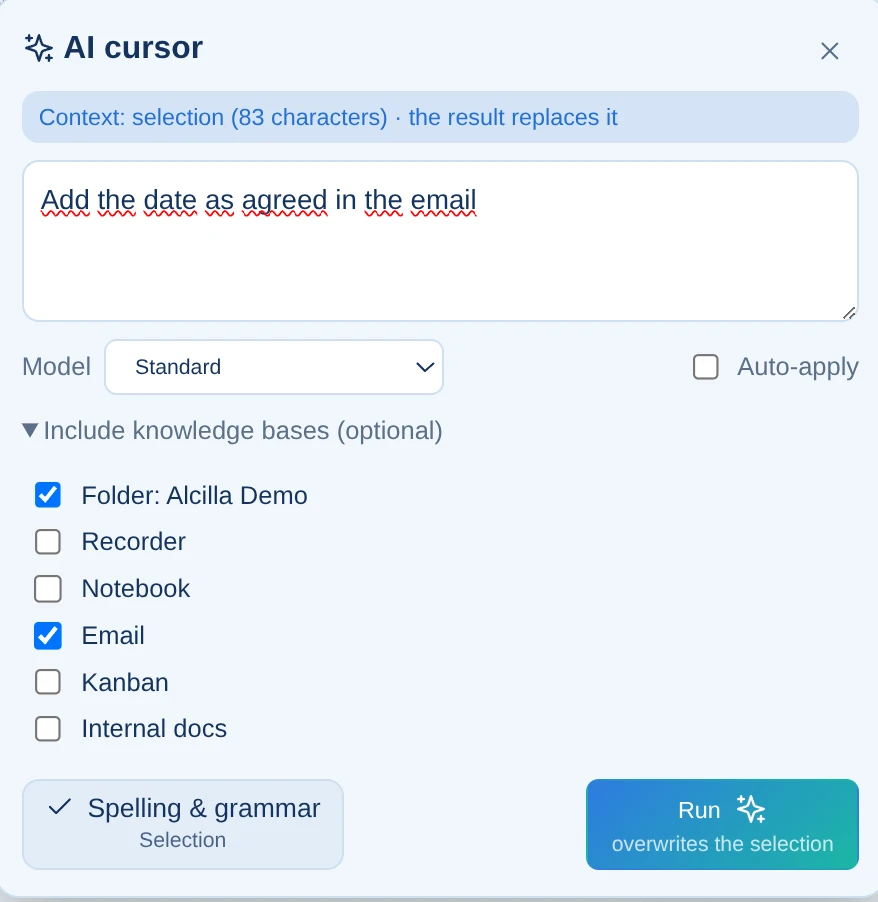
Select text passages and use the AI right where needed—to rewrite, supplement, or summarize.
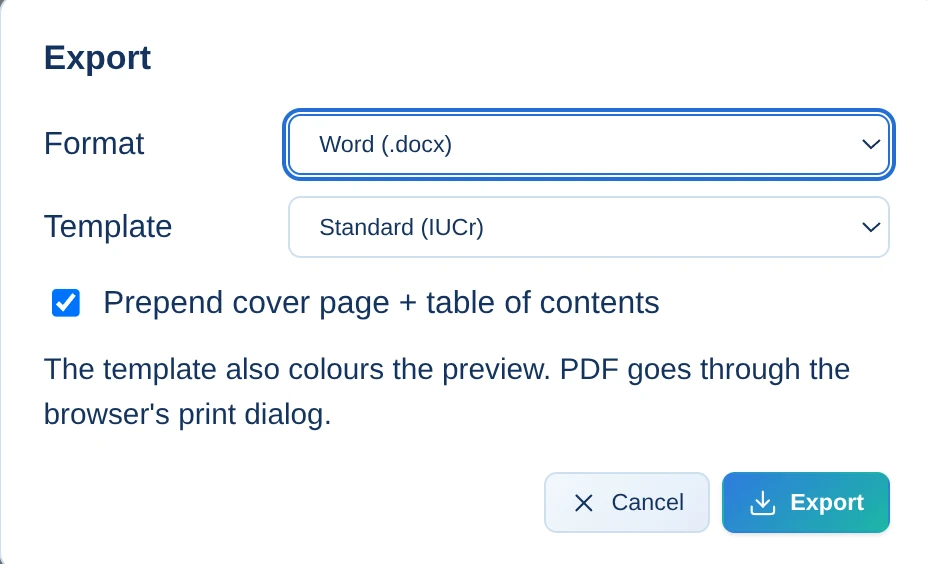
Export to Word or PDF using individual template mappings—customizable for each customer with correct corporate design.
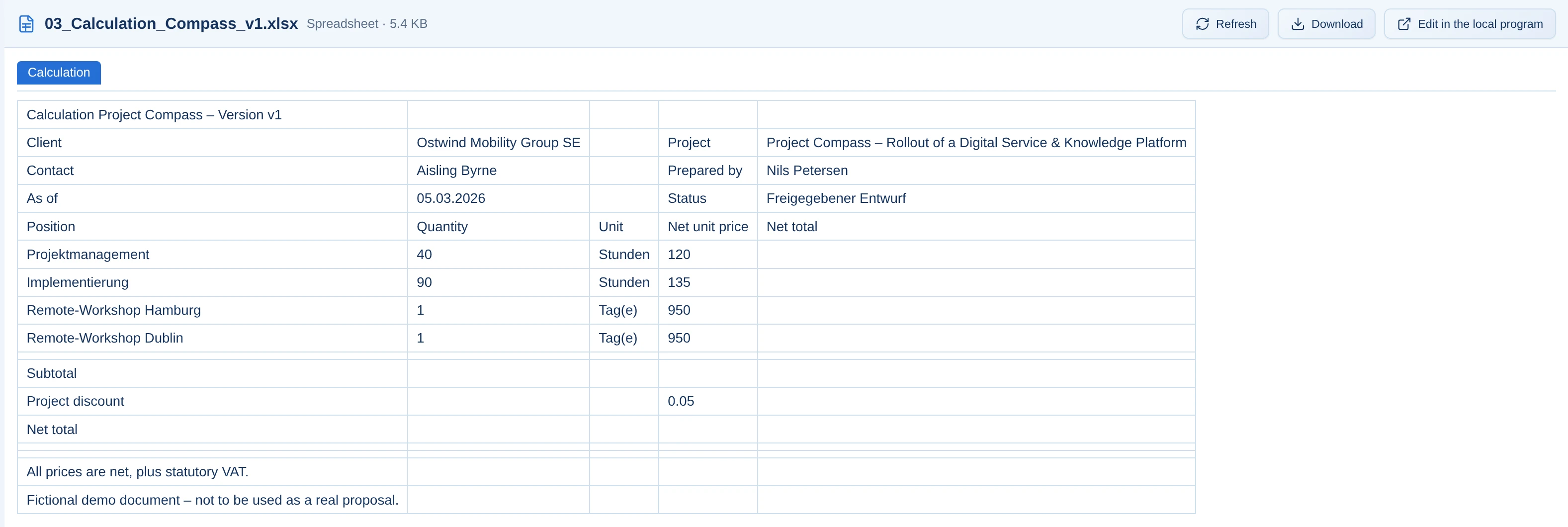
Display Word, Excel, CSV, PowerPoint, and PDF files directly in the browser—without download or additional software. Files can be read in the preview but not edited.
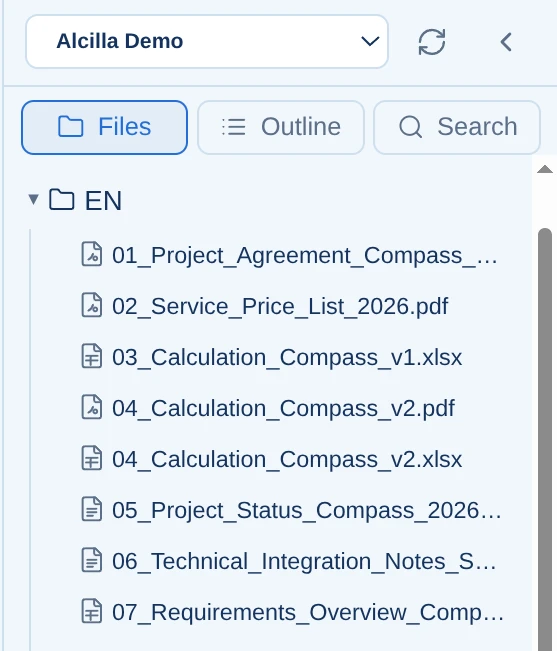
Open documents directly in the central workspace, create new ones, rename them, and save under a new name.
The AI can use every Alcilla knowledge store—emails, documents, notes, Kanban, minutes.
Detect and correct spelling mistakes while writing—for error-free, professionally worded documents.
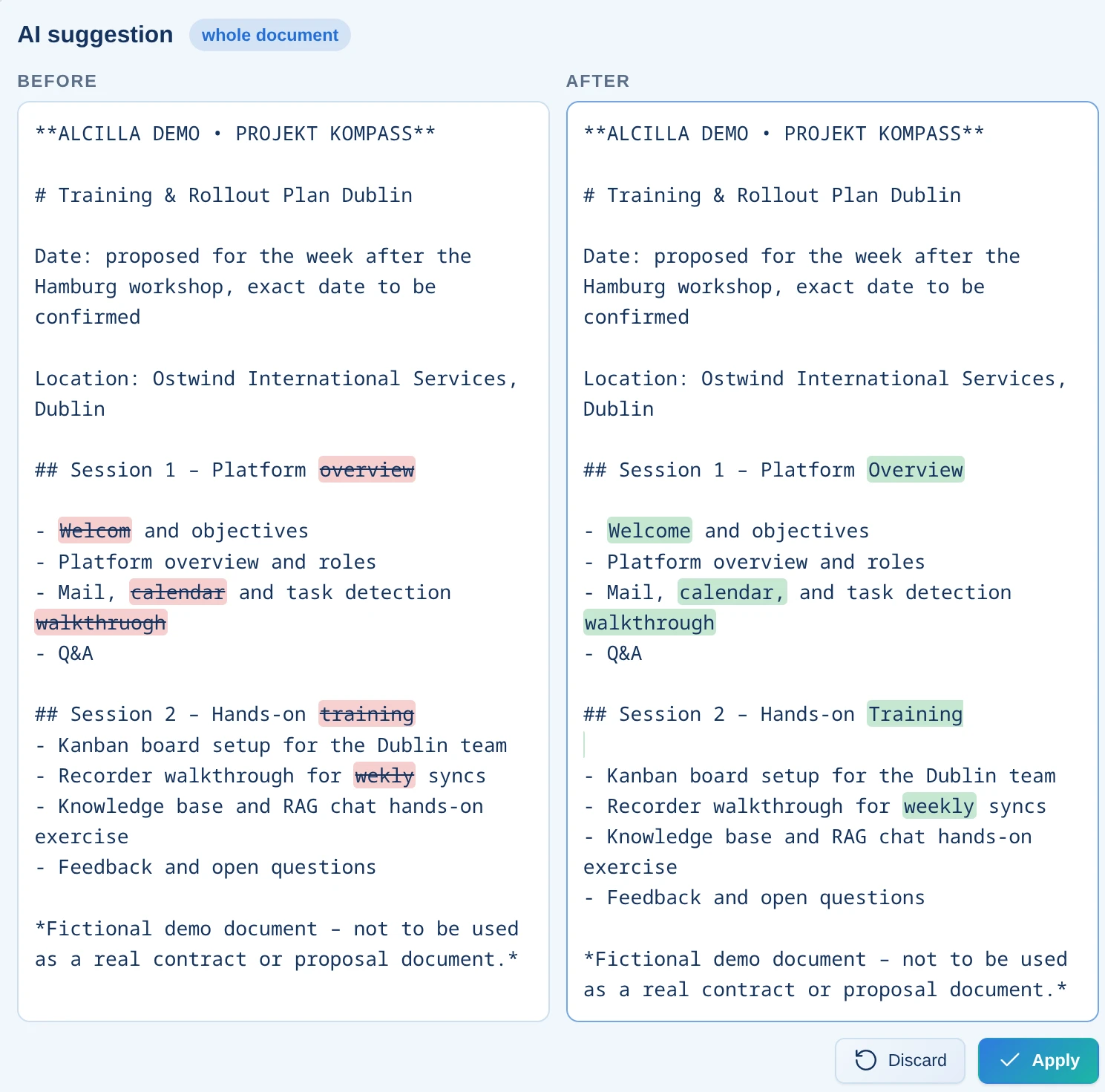
Insert headings, lists, links, tables, quotes, and code via the built-in toolbar—supplemented with line numbers and syntax help.

Conventional AI editors produce plausible-sounding text without a genuine connection to your data. Alcilla reverses that approach.
Because the editor uses the same index as chat, email, and Kanban, the AI can work with contracts, minutes, and previous documents—not just the text in the prompt.
Template mapping and export are built in. Markdown becomes a correctly formatted Word or PDF document without requiring another application.
We adapt templates, corporate design, and export formats to your specifications—from quotations to reports.
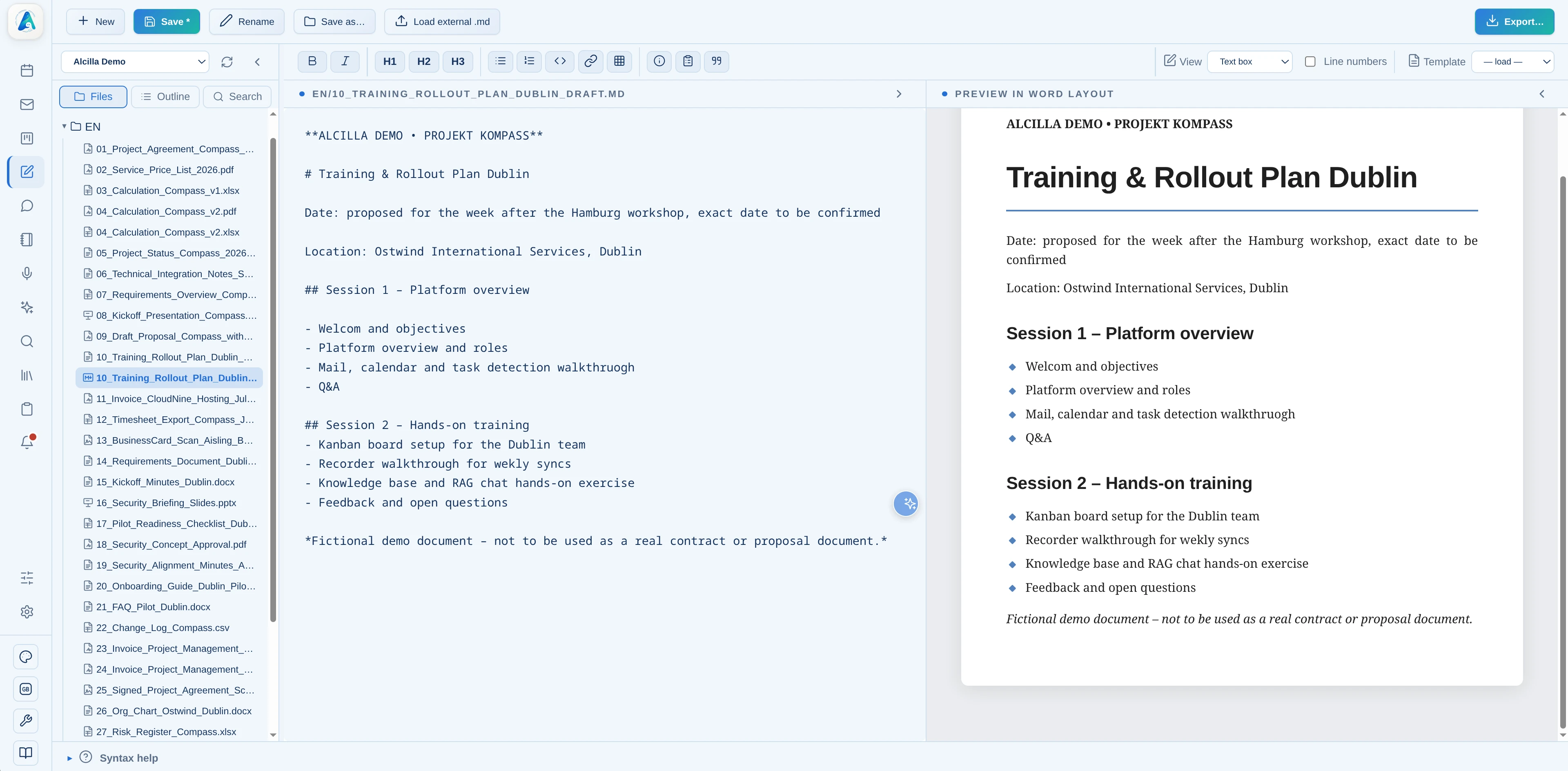
Use Markdown in the browser with AI assistance wherever you need it.
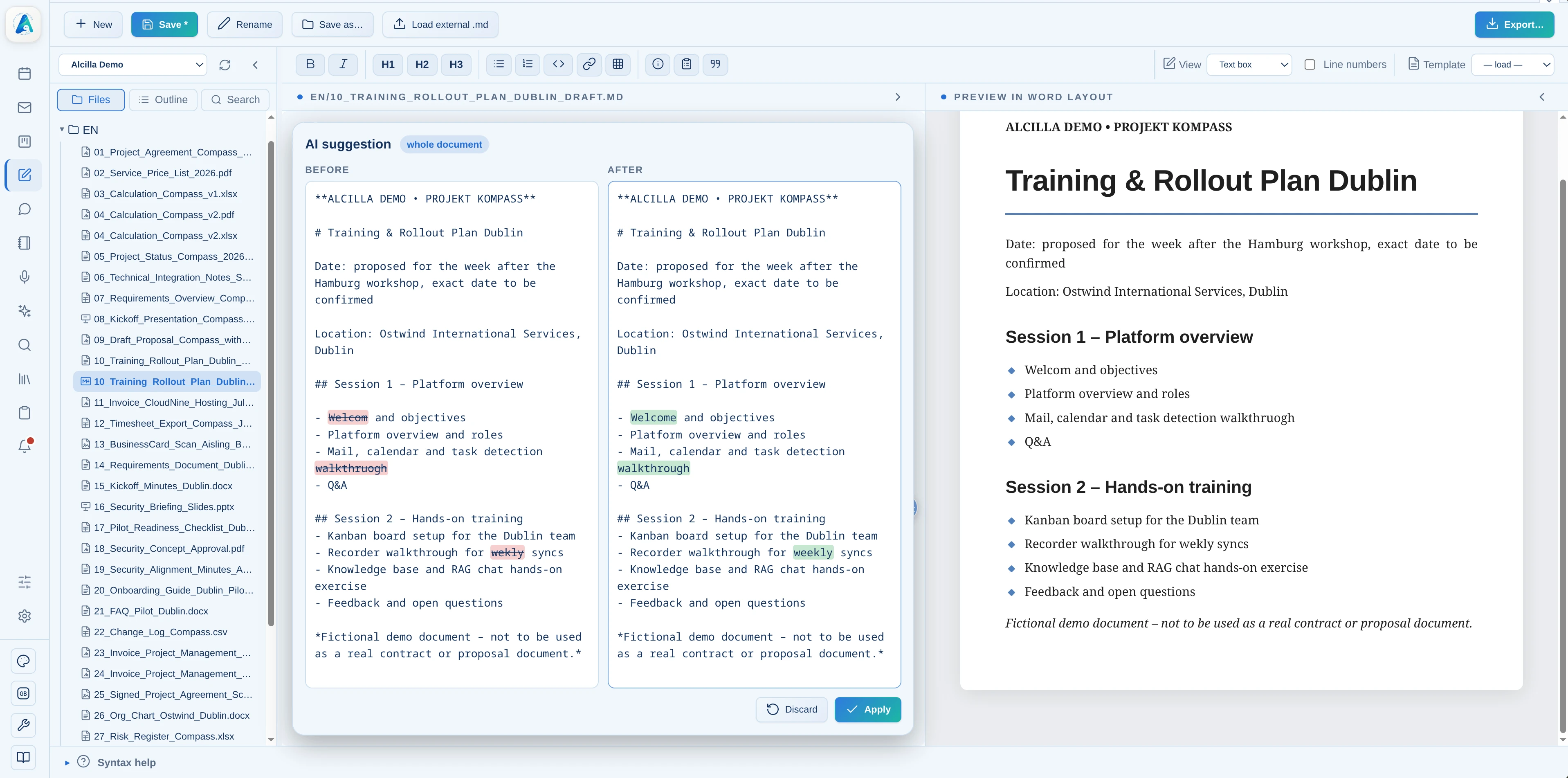
The AI-based spell checker detects errors and supports linguistic correction.
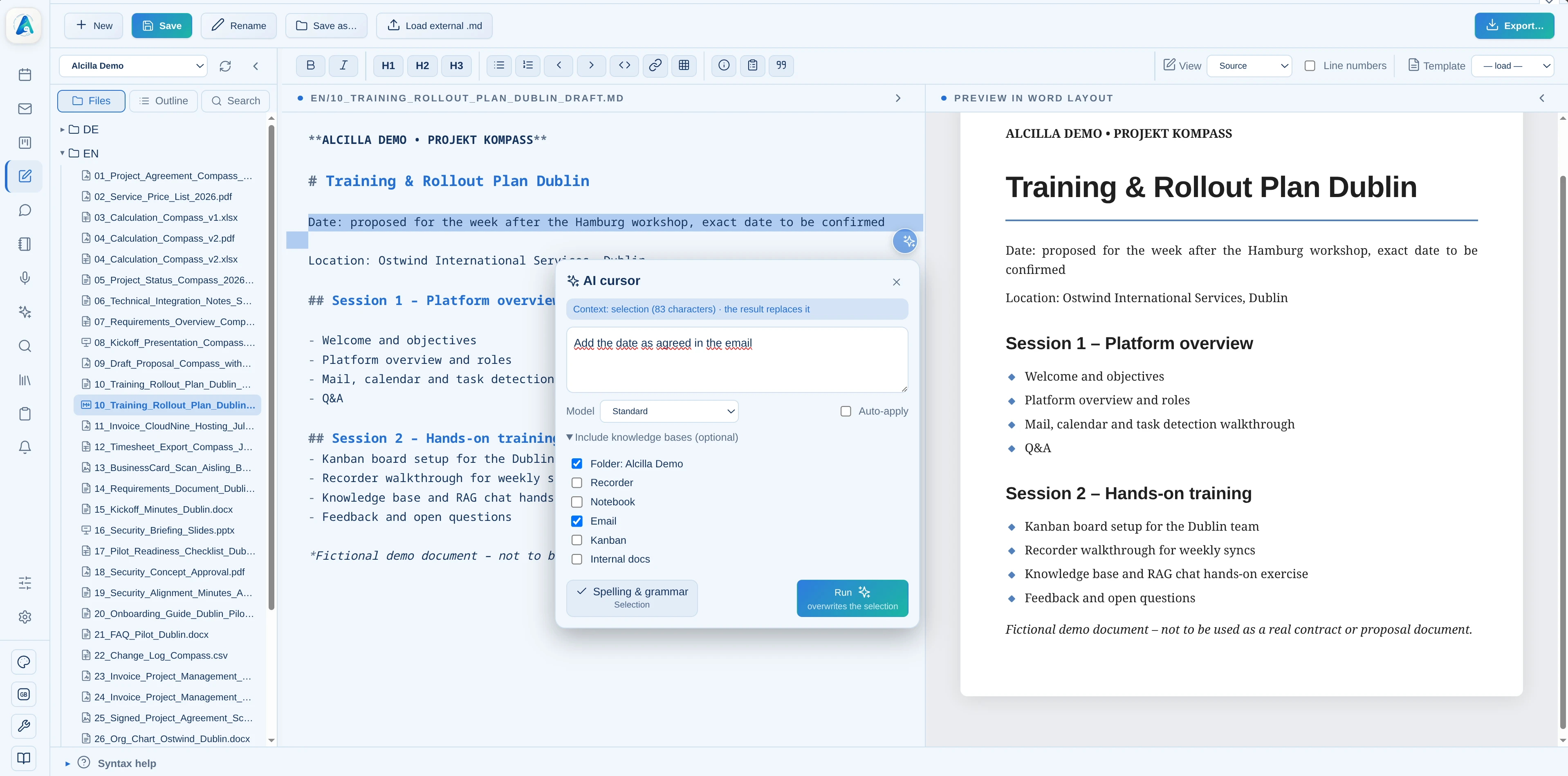
The AI draws facts from your complete knowledge store.
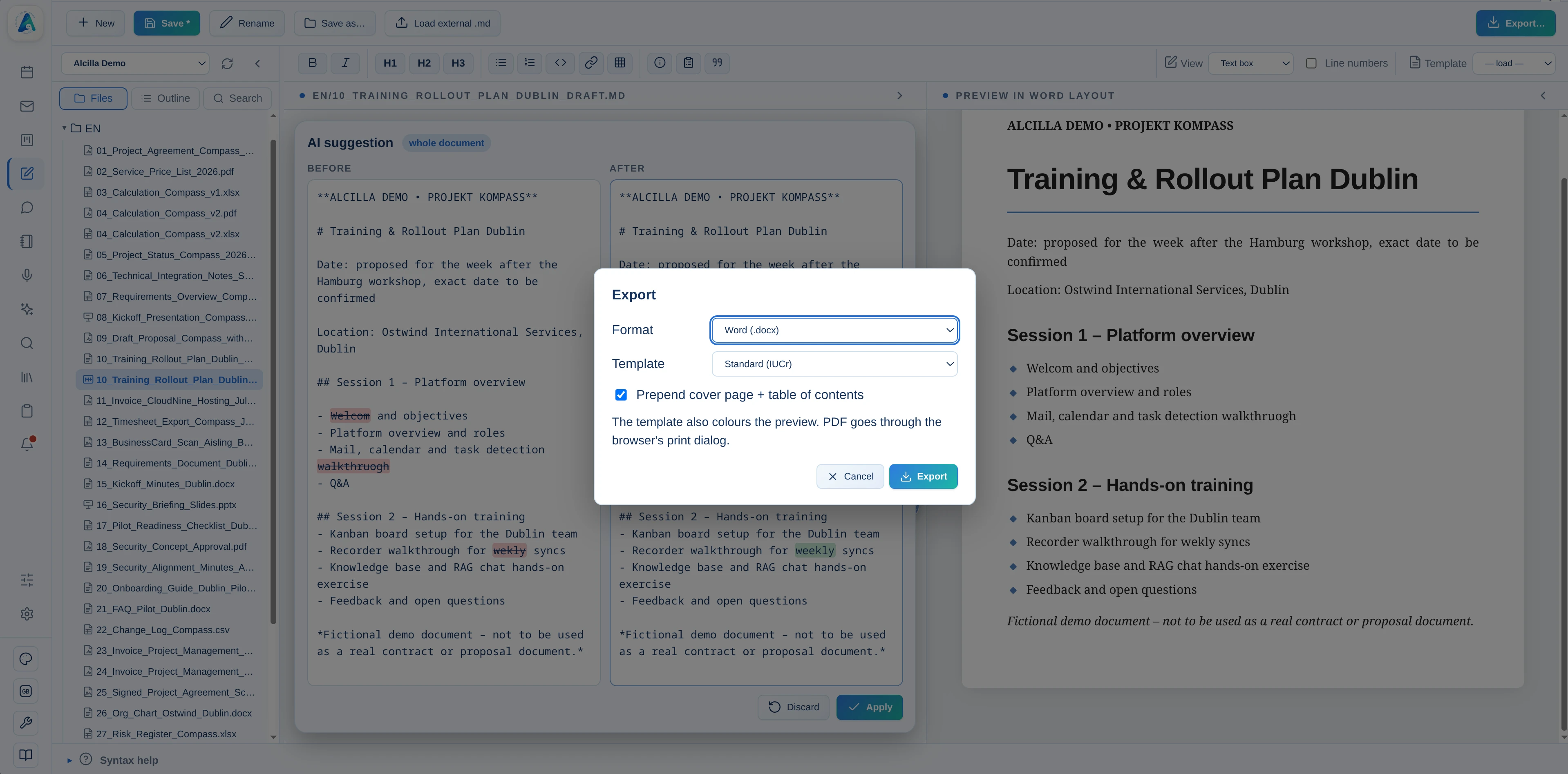
Select a corporate or standard template; Alcilla remembers your choice.
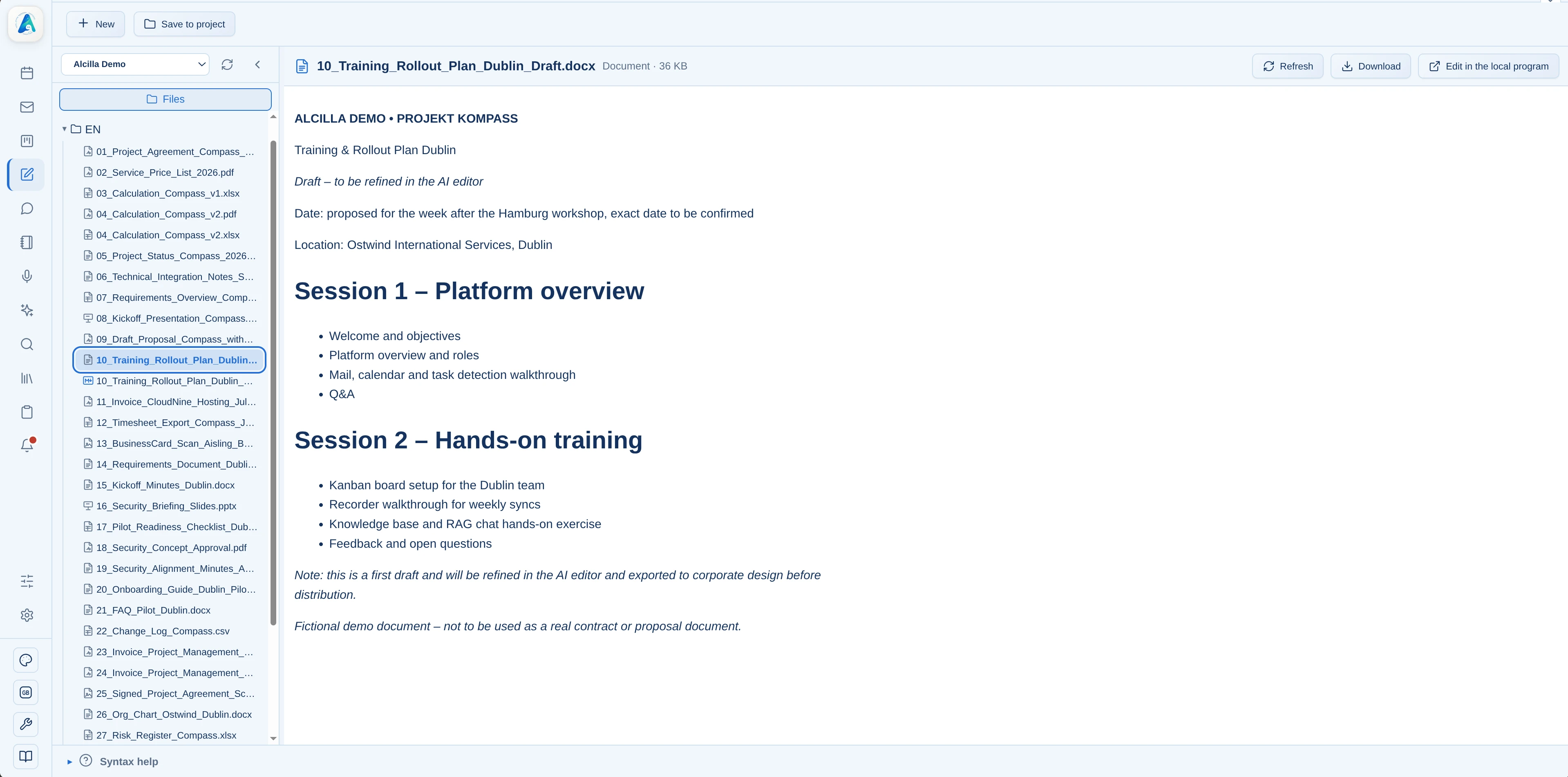
Create a finished Word or PDF document in your corporate design.
The AI Editor imports existing Office documents through the conversion service and exports them back into the formats your company expects, while leaving the original files unchanged.

See how your knowledge becomes a finished document in seconds.