Day, week, and month views
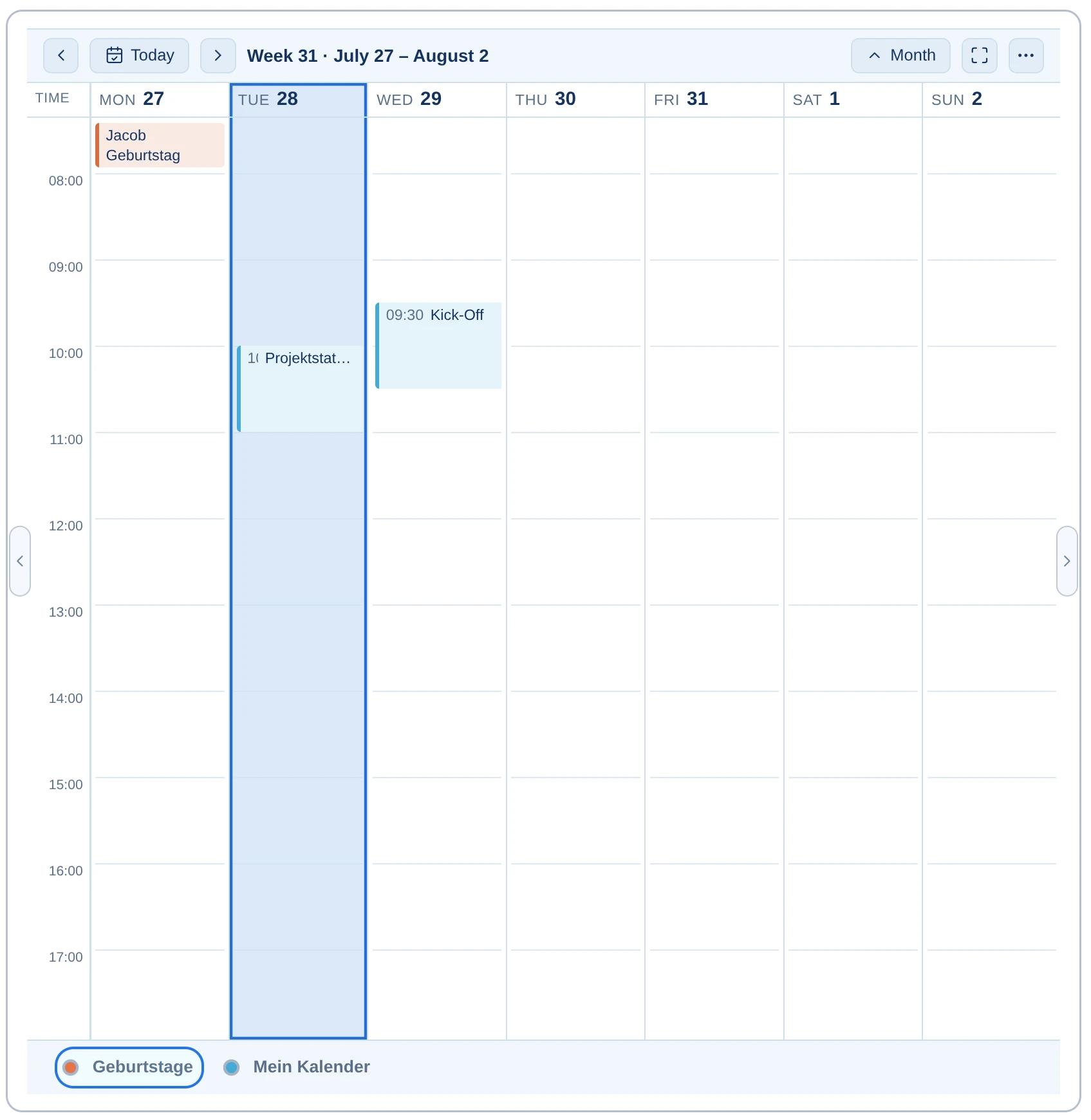
Switch between day overview, week view, and month view to see upcoming appointments in the most helpful timeframe.
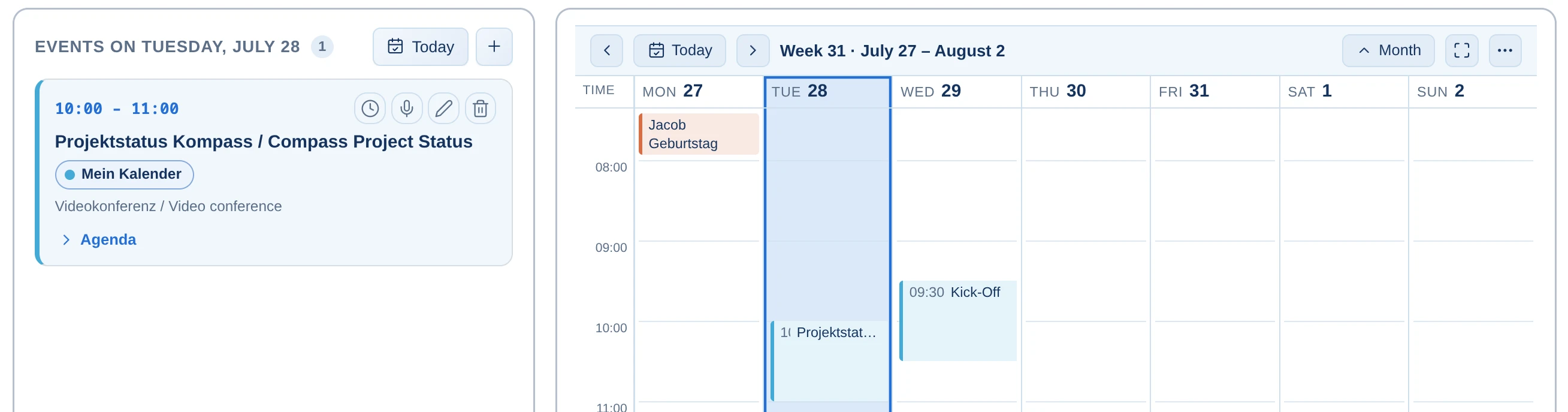

A calendar that brings together appointments, participants, tasks, and logged hours — integrated, overview-focused, without switching between different applications.
The calendar shows more than just appointments. It connects meetings with participants, tasks, minutes, email, and time tracking.
Switch between day overview, week view, and month view to see upcoming appointments in the most helpful timeframe.
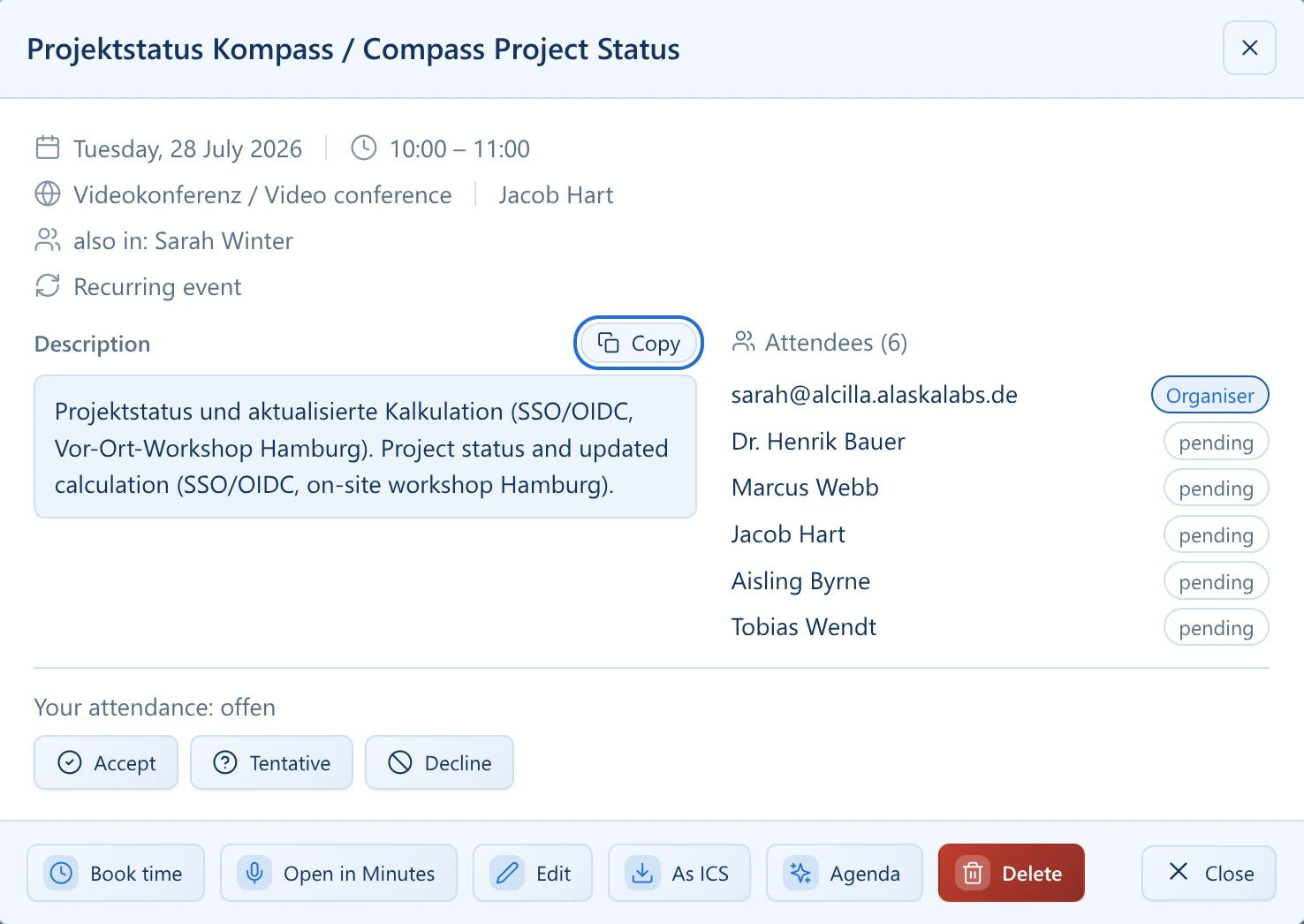
Start time, participants, location, online status, and other appointment details are directly visible in the overview.
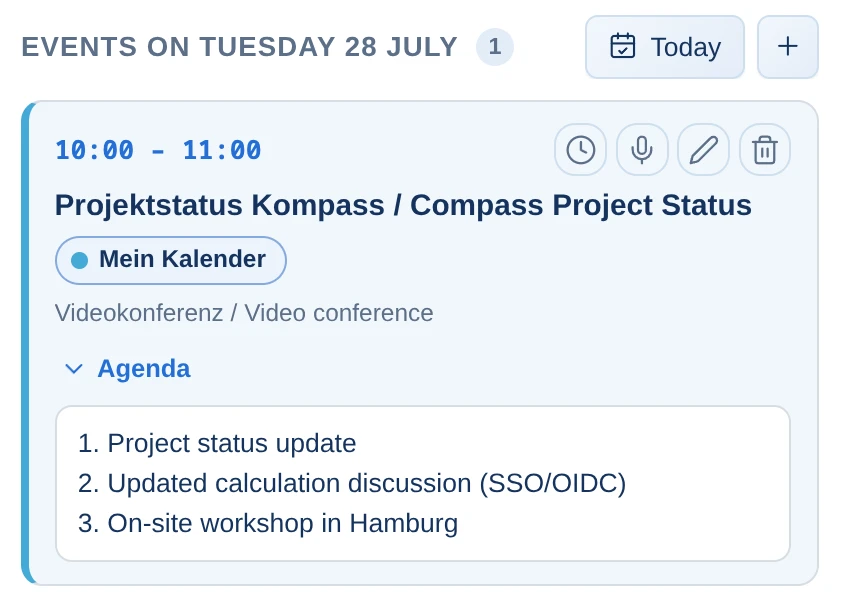
An appointment can be opened directly in minutes from the calendar. The agenda and participants are automatically imported.
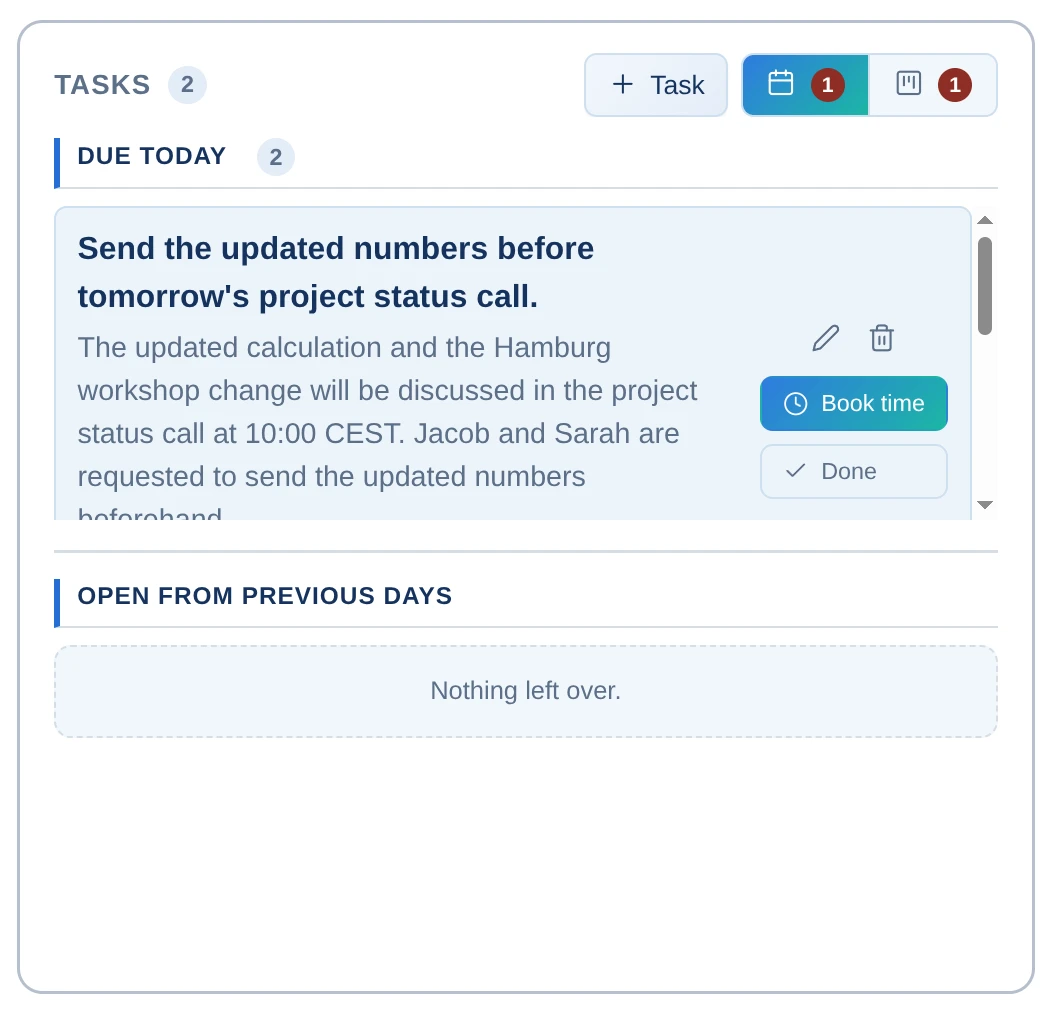
Today's due tasks and open items from previous days remain visible alongside appointment planning.
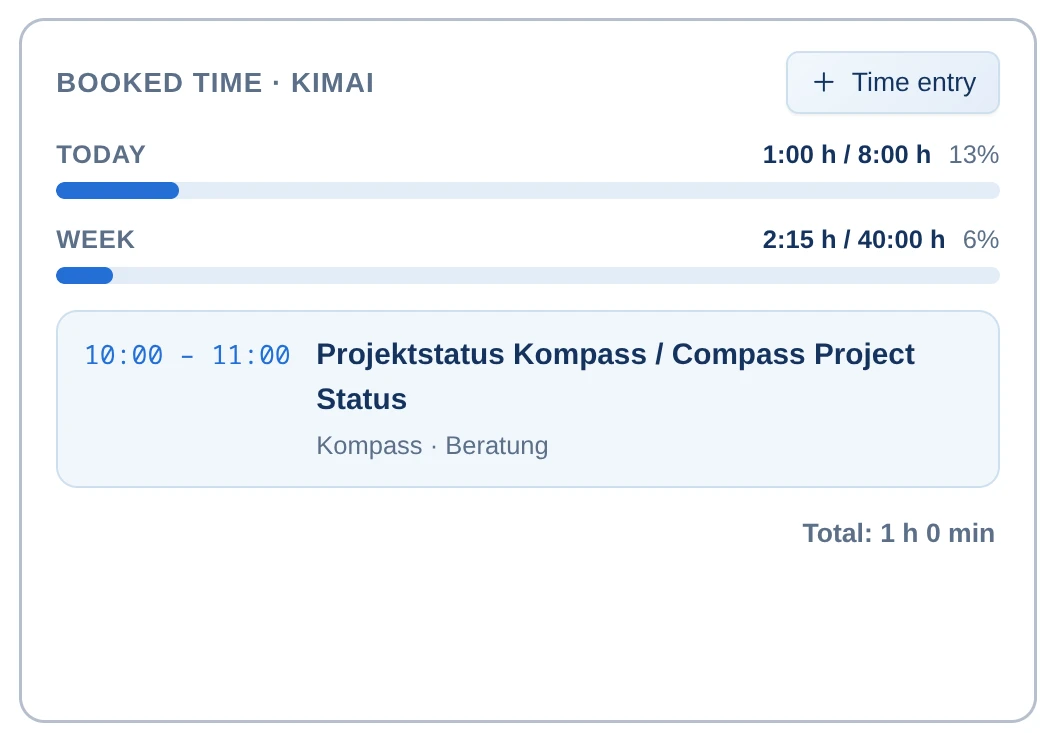
Work hours can be logged directly from the calendar view. Daily and weekly progress remain visible at all times.
Personal calendars, team calendars, and holidays are displayed in a unified view and remain distinguishable through clear labels.
An appointment is often just the beginning. Alcilla connects calendar planning with meeting preparation, task management, recording, and time tracking.
Upcoming appointments, participants, tasks, and logged hours are displayed in a unified interface.
An appointment can be opened in minutes without switching contexts or started alongside tasks, time bookings, and other work steps.
Appointments, tasks, and time bookings remain linked and can continue within their respective work context.
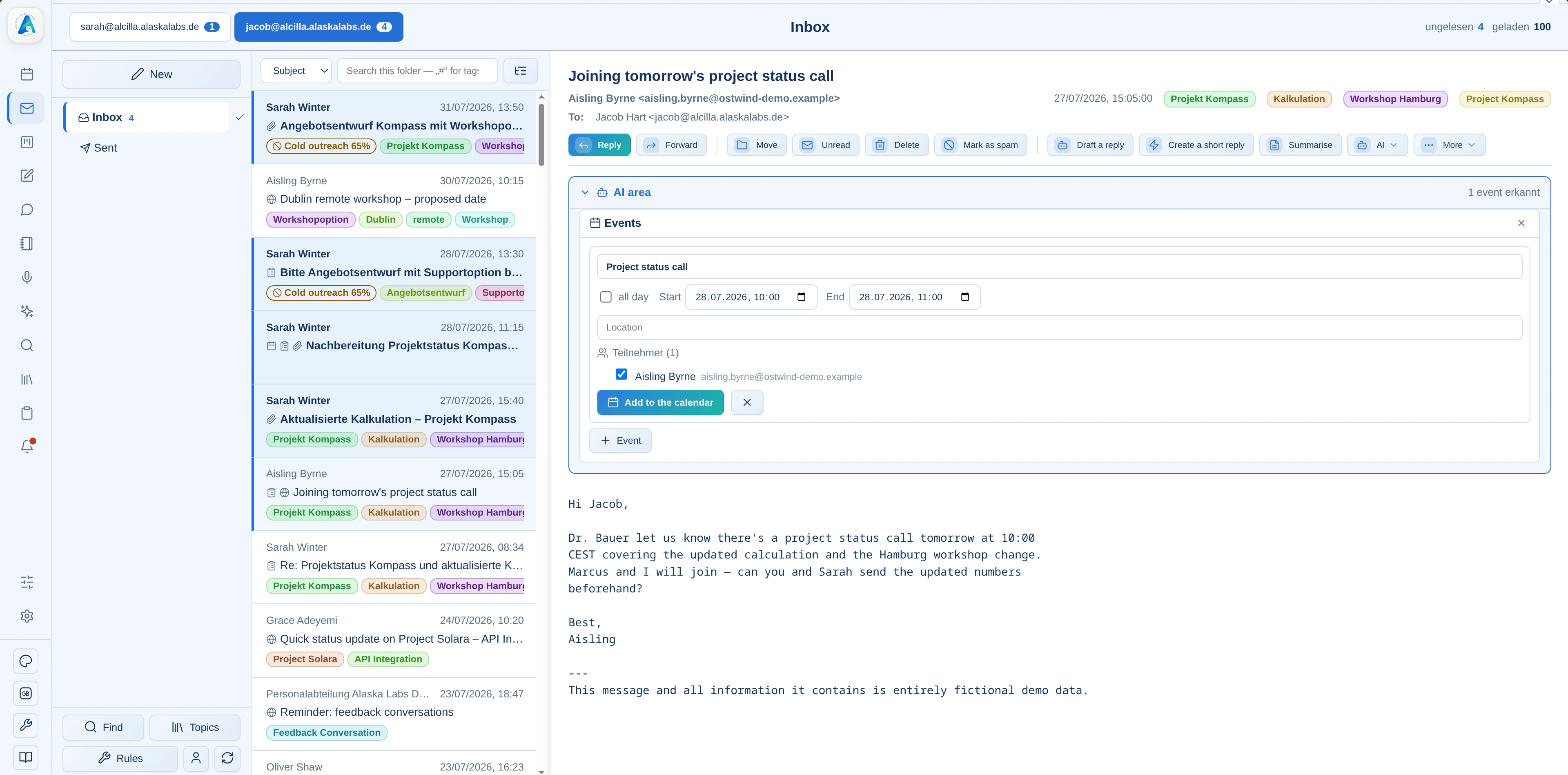
Appointments are created directly or imported from an email into the calendar.
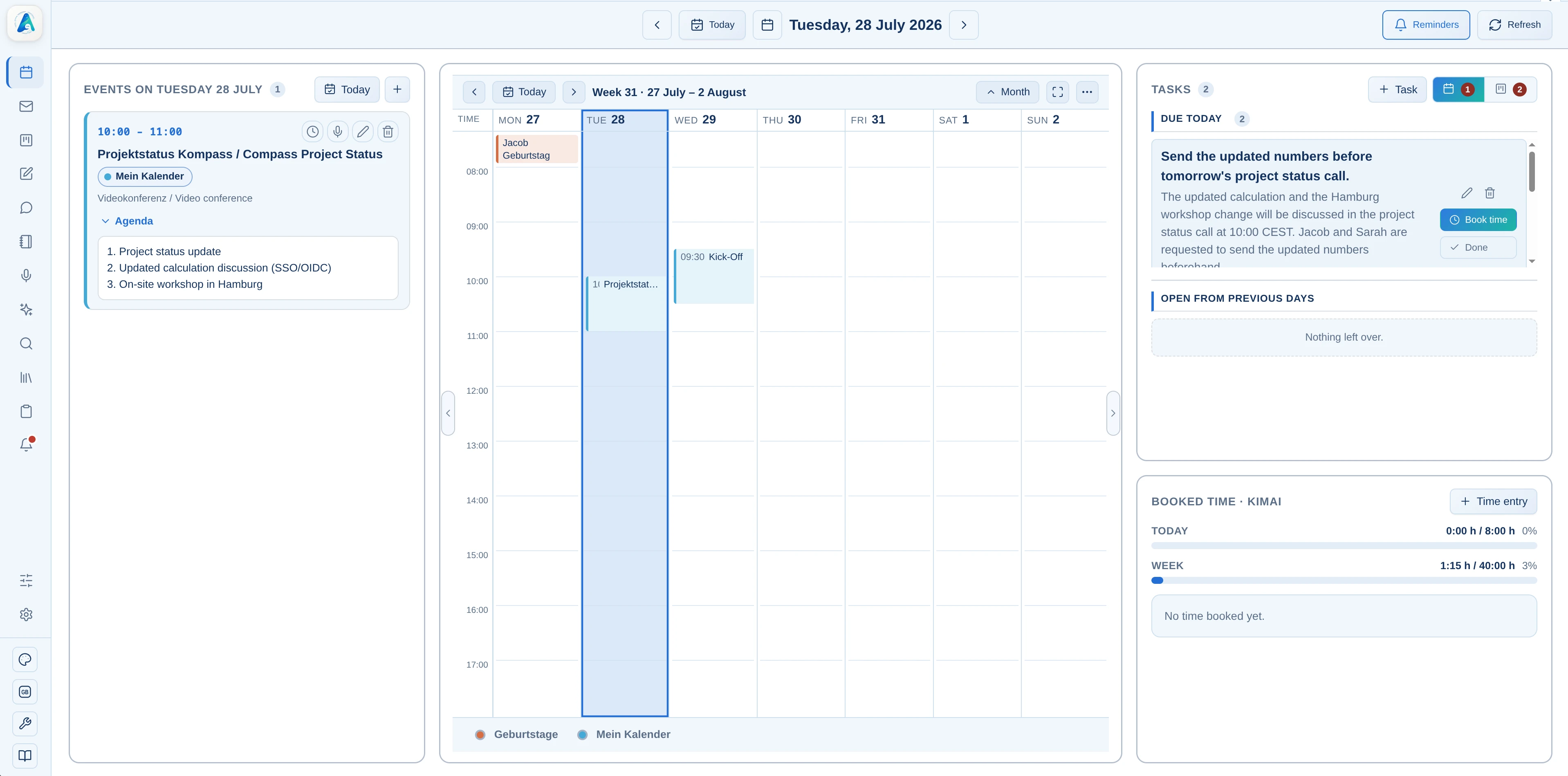
All important information about the meeting is centrally available before the appointment.
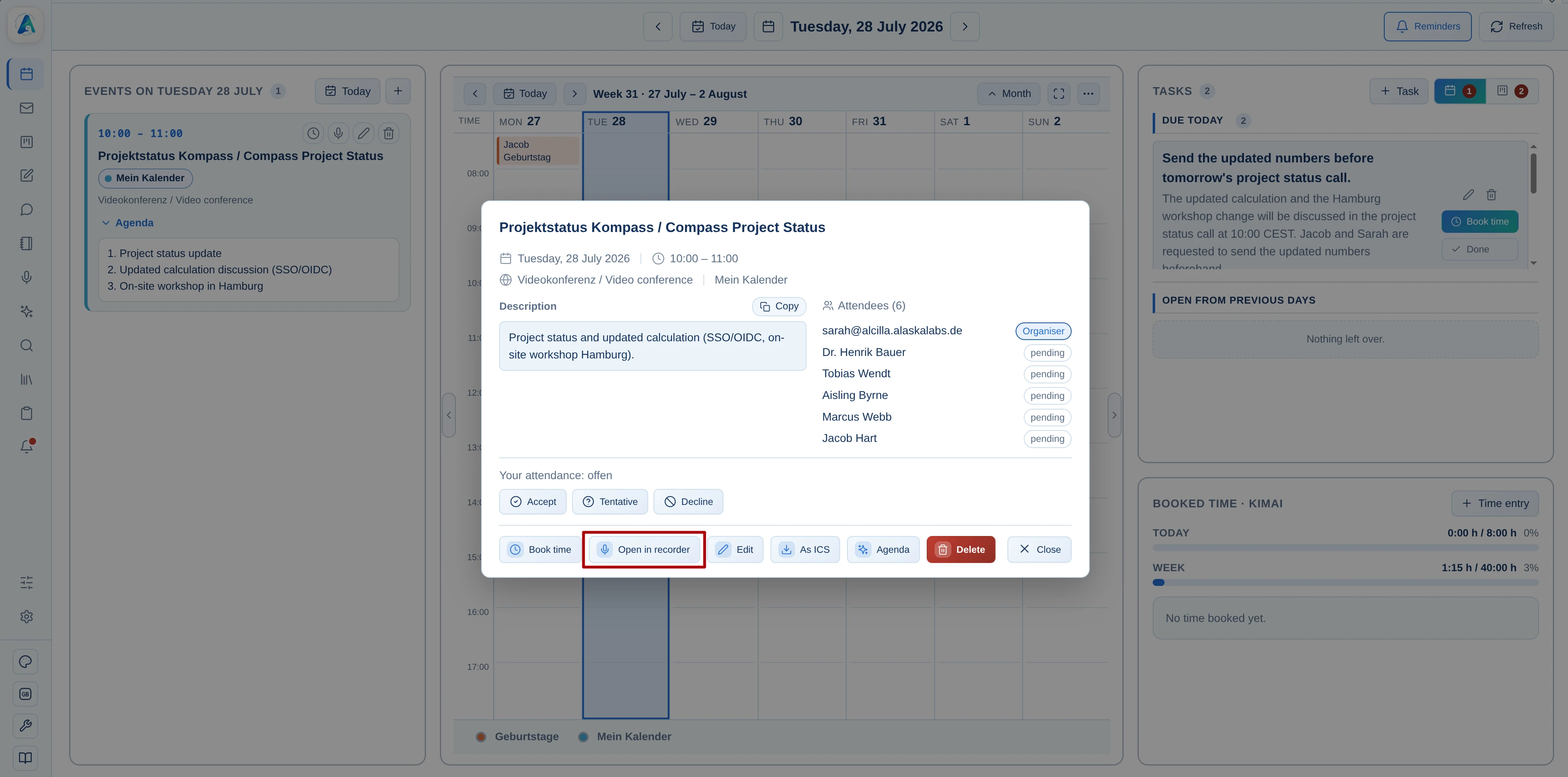
The appointment is opened in minutes. The agenda and participants are automatically imported.
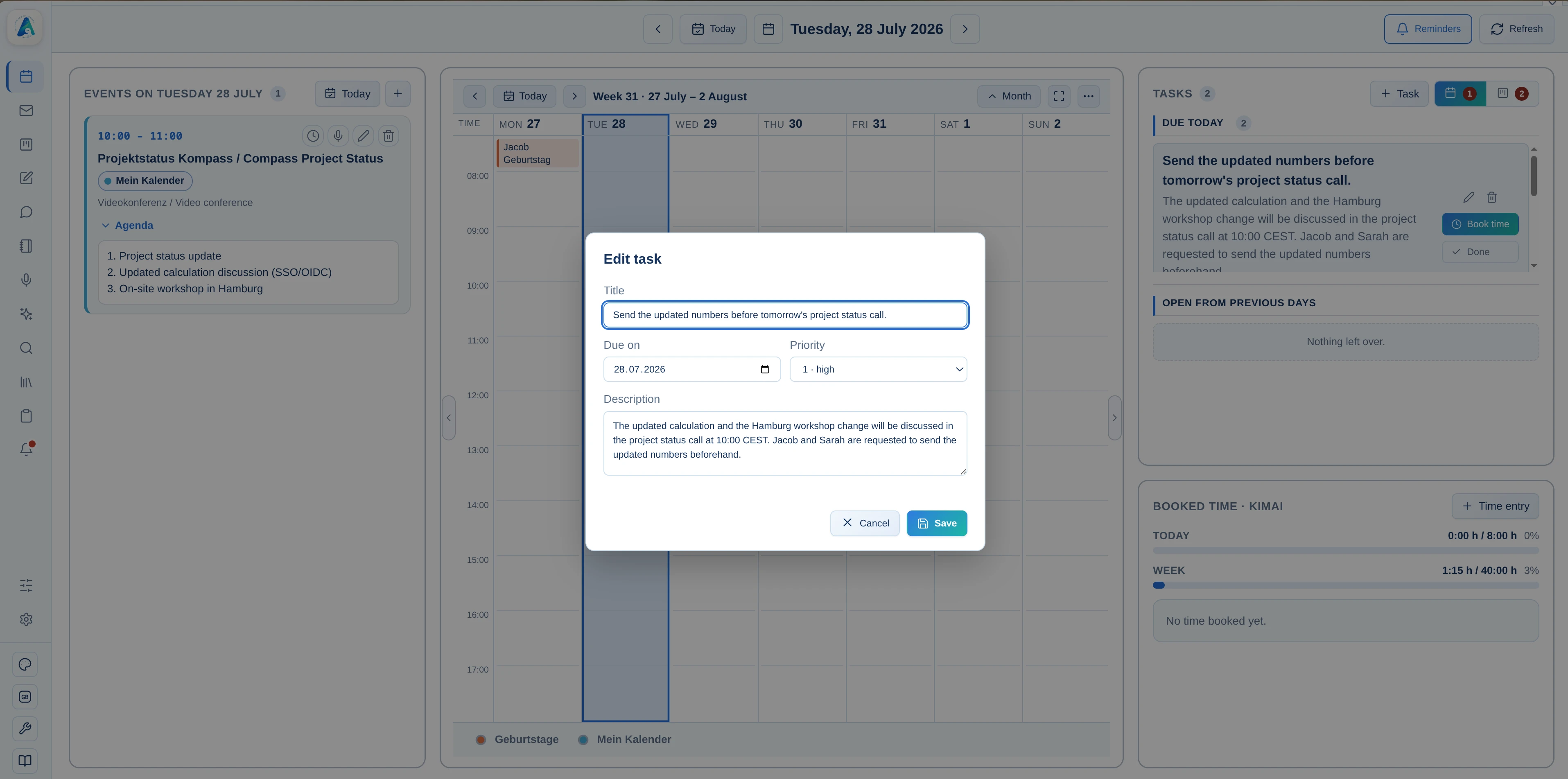
Results continue as tasks, and logged hours are booked directly within the workflow.
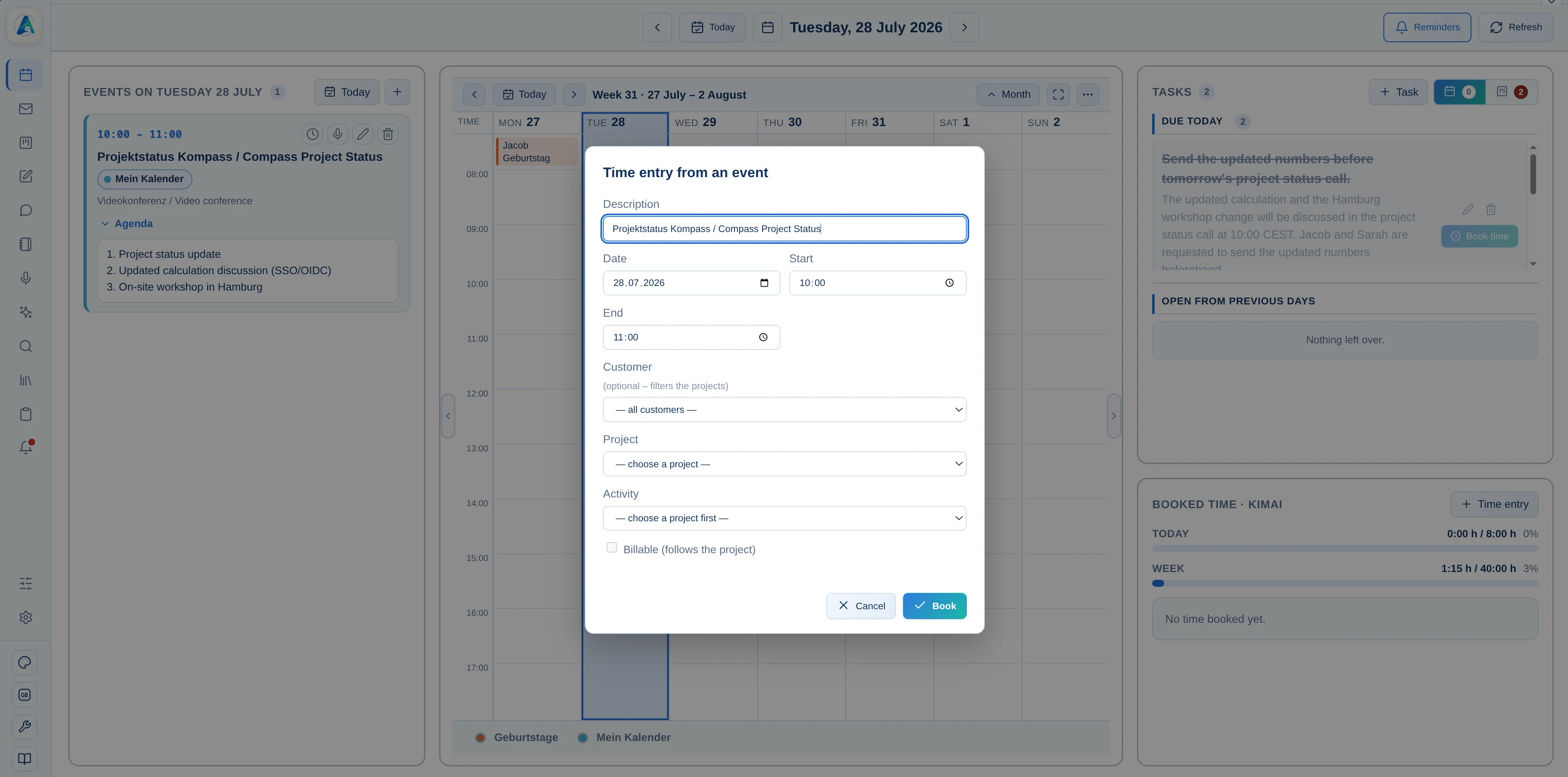
Time spent is logged directly within your workflow.
Alcilla Calendar connects appointment planning with email, minutes, Kanban, time tracking, and knowledge search.

See how appointments, tasks, meetings, and work hours come together in a unified interface.